


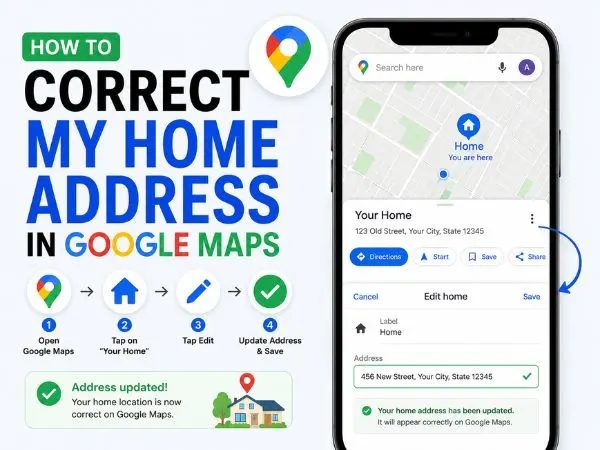
It is incredibly frustrating when delivery drivers, cabs, and guests constantly end up a street over or at the wrong house because Google Maps has your address wrong. Whether the pin drops in the wrong location or the street name is misspelled, leaving it broken is a hassle you don’t need to deal with.
Fortunately, Google relies on community contributions to keep its maps accurate, which means you have the power to suggest a correction.
Depending on exactly what is wrong with your address, there are a few different ways to fix it. Here is a complete, step-by-step guide to correcting your home address on Google Maps so people can actually find your front door.
1. How to Fix a Wrong Pin Location
The most common issue people face is that their address text is completely correct, but the red map pin drops in the middle of the street, at the neighborhood entrance, or on a neighbor’s roof.
To fix this, you need to manually move the pin to the correct GPS coordinates.
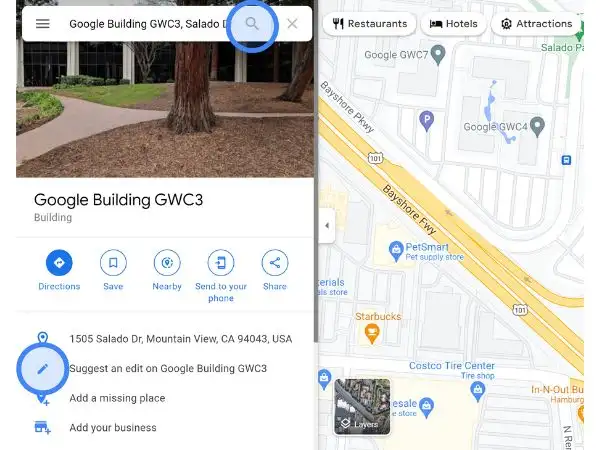
1.Search for your address:
Open the Google Maps app on your phone and type your exact home address into the search bar.
2.Open the location menu:
Once the pin drops, swipe up on the white information card at the bottom of the screen to expand it.
3.Tap ‘Suggest an edit’:
Scroll down and tap the Suggest an edit button (it usually has a small pencil icon next to it).
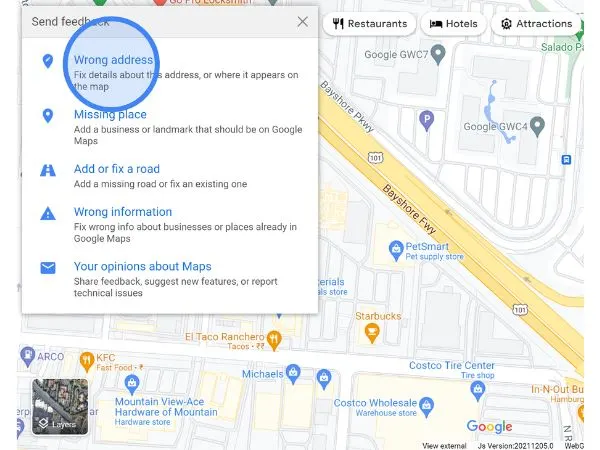
4.Select ‘Fix an address’:
Choose the Fix an address or Wrong pin location or address option from the menu.
5.Move the map:
Tap the map section where it says Edit map location. Zoom in closely and drag the map until the red pin is resting exactly over the center of your home’s roof. Tap Save or Done.
6.Submit the edit:
Tap the Submit button at the bottom of the screen.
Expert Tip: Edits are reviewed by Google’s automated systems and human moderators. To increase the chances of your pin move being approved instantly, make sure you are physically connected to your home Wi-Fi or standing inside your house when you submit the edit.
2. How to Correct Wrong Address Text (Street, City, or Zip Code)
Sometimes the pin is in the right place, but Google has the wrong house number, a misspelled street name, or an outdated postal code.
The process for fixing this is very similar to moving a pin:
- Open Google Maps and search for the incorrect address currently showing on your house.
- Swipe up on the bottom menu and tap Suggest an edit.
- Select Fix an address.
- Instead of moving the map, tap into the text fields below it. You can correct the Street address, City, State, and Zip/Postal code.
- Once the text is perfectly accurate, tap Submit.
also read : – How to Check Your CIBIL Score Online
3. How to Change Your Private “Home” Label
If the public map is correct, but your personal phone keeps navigating you to an old apartment or previous house when you say “Take me home,” you just need to update your private saved labels.
1.Open your Saved tab:
Open the Google Maps app and tap the Saved icon in the bottom menu bar.
2.Go to your Labeled list:
Under the “Your lists” section, tap on Labeled.
3.Edit your Home address:
Find Home in the list, tap the three dots (menu) next to it, and select Edit home.
4.Enter the new address:
Clear out the old address, type in your new correct address, and select it from the dropdown to save it.
Frequently Asked Questions (FAQ)
How long does it take for Google to update my address?
Most minor edits (like shifting a pin to the correct roof) are reviewed by Google’s AI and applied within 24 to 48 hours. However, if you are adding a completely new street or making a major address change, it may require human review. This can take anywhere from a few days to two weeks. Google will send you an email when the edit is published or rejected.
Why did Google reject my address correction?
Google often rejects edits if they cannot verify the information using Street View imagery or satellite data. If you live in a brand-new subdivision that hasn’t been photographed by Google yet, your edits might get flagged. If your edit gets rejected, wait a few days and try again, ensuring you are physically at the location when submitting.
Can I change the address on my desktop computer?
Yes. Go to Google Maps on your web browser, search for the address, click Suggest an edit on the left-hand information panel, and select Wrong pin location or address. The steps are nearly identical to the mobile app.

