


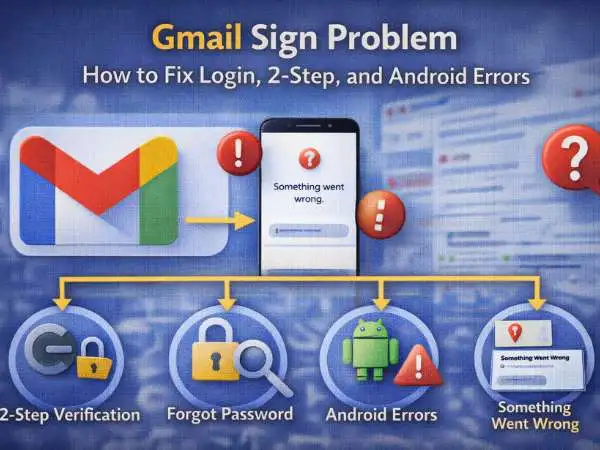
Few things are more frustrating than opening Gmail and getting blocked at the login screen. You type your password. It looks right. Still — access denied. Or you see that vague message: “Something went wrong.” Or worse, you’re stuck in a 2-step verification loop with no backup code.
A Gmail sign problem isn’t just annoying. For many people, Gmail is tied to banking, work documents, social accounts, and business tools. When login fails, everything feels stuck.
If you’ve searched:
- gmail login problem 2 step verification
- gmail login problem forgot password
- gmail login problem something went wrong
- gmail login problem in android
- gmail login problem solution
This guide walks through each scenario carefully. Not just quick fixes — but the logic behind what’s happening and how to prevent it next time.
also read : – Device ID Profile: Meaning, Examples, Security, and How Device Identification Really Works
Why Gmail Login Problems Happen in the First Place
Before jumping into fixes, it helps to understand what Gmail is actually doing when you sign in.
When you enter your email and password, Google checks:
- Account existence
- Password match
- Device trust status
- IP location
- Suspicious activity patterns
- 2-step verification settings
If anything looks unusual, Google blocks or delays access.
Most Gmail login problems are not random. They are security triggers.
Common Gmail Login Errors and What They Really Mean
Let’s decode the most common Gmail login errors users see.
“Wrong Password”
This doesn’t always mean you typed it wrong. It can also mean:
- Caps Lock is enabled
- The account was recently recovered
- The password was changed from another device
- You’re entering the password for a different Google account
Google accounts are often linked across multiple services. Confusion between accounts is common.
“Couldn’t Find Your Google Account”
Usually caused by:
- Typing the wrong email
- Using an old deleted account
- Account suspended by Google
Double-check spelling carefully. Even a missing dot changes the account identity.
“Something Went Wrong”
This is one of the most searched issues: gmail login problem something went wrong.
This error often relates to:
- Browser cache conflicts
- Outdated app version
- Network instability
- Google service outage
- Session corruption
It’s generic because the issue isn’t account-based — it’s session-based.
also read : – How to Open RAW Files on Windows, Mac, iPhone, and Android
Gmail Login Problem: Forgot Password
For many users, the most common issue is simple: gmail login problem forgot password.
Google’s recovery process involves multiple verification steps:
- Enter last remembered password
- Confirm recovery email
- Confirm phone number
- Verify device previously used
The system calculates risk score based on consistency.
Why Recovery Sometimes Fails
Recovery fails when:
- Recovery phone number is outdated
- Recovery email no longer accessible
- You’re logging in from new location
- Too many failed attempts triggered temporary lock
Google prioritizes security over convenience. If identity confidence is low, access is denied.
Best Way to Recover Successfully
- Use the same device you previously used
- Connect from usual location
- Enter the most recent password you remember
- Be patient and avoid repeated attempts
Repeated failed attempts can temporarily freeze recovery options.
Gmail Login Problem 2 Step Verification
Two-step verification adds an extra security layer. It also creates login problems when users lose access to their second factor.
When 2-step verification is enabled, Google requires:
- SMS code
- Authenticator app code
- Security key
- Backup codes
If you lose access to your phone or authenticator app, login becomes complicated.
Why 2-Step Verification Fails
Common causes include:
- Changed phone number
- Deleted authenticator app
- Lost security key
- Traveling abroad with SIM issues
Google assumes account takeover risk when 2-step fails.
How to Fix 2-Step Verification Issues
If locked out:
- Select “Try another way”
- Use backup codes
- Use recovery email
- Complete identity verification
If no backup methods exist, recovery becomes more difficult and may take days.
This is why Google strongly encourages backup codes.
also read : – Best Photo Editing Apps for iPhone
Gmail Login Problem in Android
Android users often experience Gmail login problems differently than desktop users.
Common Android-specific causes include:
- Google Play Services outdated
- App cache corruption
- Account sync failure
- Incorrect system time
- Disabled background data
Unlike browser issues, Android login failures may involve system-level settings.
Fixing Gmail Login Problem in Android
Start with these steps:
- Check internet connection
- Update Gmail app
- Update Google Play Services
- Clear Gmail cache
- Restart device
- Check date and time settings
Incorrect device time can break secure login handshake.
If that fails:
- Remove Google account from device
- Restart phone
- Re-add account
This resets authentication tokens.
Gmail Login Problem: Something Went Wrong Error Fix
Let’s go deeper into this specific error.
When Gmail says “Something went wrong,” it’s usually a session conflict.
Fix on Desktop
- Clear browser cache
- Try incognito mode
- Disable browser extensions
- Update browser
- Try another browser
Sometimes ad blockers interfere with authentication scripts.
Fix on Mobile Browser
- Clear browser data
- Switch between Wi-Fi and mobile data
- Restart device
Network switching often resolves token errors.
also read : – How to Choose the Right Web Hosting for Your Website
Gmail Login Problem Solution: Step-by-Step Systematic Approach
Instead of random attempts, use a structured troubleshooting approach.
Step 1: Confirm Account Credentials
Make sure you’re using correct email and password.
Step 2: Check Google Service Status
Occasionally Google services experience temporary outages.
Step 3: Switch Device
If login fails on phone, try desktop.
Step 4: Switch Network
Try logging in on a different Wi-Fi or mobile network.
Step 5: Attempt Recovery Once
Avoid repeated attempts. Too many retries can trigger temporary blocks.
Security Lockouts and Suspicious Activity Flags
Sometimes login fails because Google detected unusual behavior.
Examples:
- Logging in from new country
- Using VPN
- Multiple rapid login attempts
- Password brute-force suspicion
In these cases, Google temporarily restricts access.
The only solution is identity verification and time.
Preventing Future Gmail Login Problems
Fixing login is one thing. Preventing issues is smarter.
Keep Recovery Information Updated
Regularly verify:
- Recovery phone number
- Recovery email
- Backup codes
Outdated recovery details are the biggest risk factor.
Store Backup Codes Securely
When enabling 2-step verification, Google provides backup codes. Save them securely offline.
They can save you during phone loss.
Avoid Using Public Devices
Public or shared computers can create session conflicts and security triggers.
Enable Passkeys (If Available)
Google now supports passkeys in many regions. Passkeys reduce password-based errors.
When Gmail Login Problems Are Account Suspension
In rare cases, Gmail login fails because the account was suspended.
Reasons include:
- Policy violations
- Spam activity
- Malware detection
- Compromised account
In such cases, Google shows an appeal option.
Follow instructions carefully and avoid creating duplicate accounts during appeal.
also read : – Transferring WhatsApp From Android To IPhone
Final Thoughts on Gmail Sign Problems
A Gmail sign problem rarely happens without reason. Whether it’s forgotten passwords, 2-step verification confusion, Android sync failures, or vague “something went wrong” messages, each issue connects back to security checks and session validation.
The key is structured troubleshooting, not panic attempts.
Understand what Gmail is checking.
Verify credentials calmly.
Use recovery tools once — not repeatedly.
Keep backup options updated.
Most Gmail login problems are solvable. The challenge is knowing where to start.
FAQs: Gmail Login Problems
Why can’t I log into Gmail even with correct password?
Google may detect unusual activity or require additional verification.
How do I fix Gmail login problem forgot password?
Use Google’s recovery page and verify identity through recovery phone or email.
Why does Gmail say something went wrong?
Usually due to browser cache, network issues, or session conflict.
What if I lost my 2-step verification phone?
Use backup codes or recovery email.
How do I fix Gmail login problem in Android?
Update Gmail app, clear cache, check time settings, or re-add account.

