


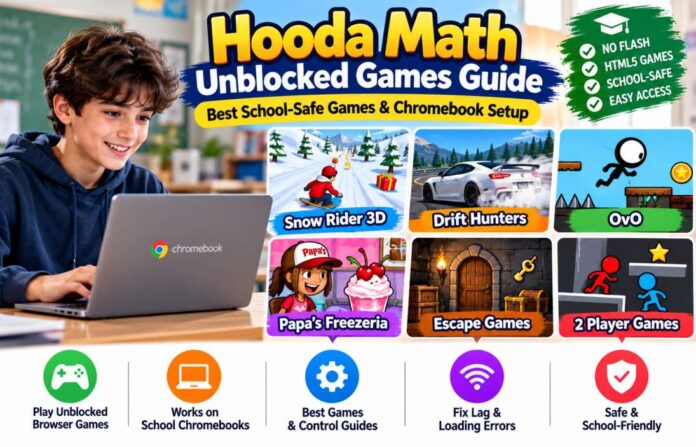
Looking for browser games that run on a school Chromebook without downloads? Hooda Math offers a large collection of free games, including racing, puzzles, escape rooms, platformers, and cooking games.
Popular titles include Snow Rider 3D, Drift Hunters, OvO, Papa’s Freezeria, and Eggy Car. You can open these games directly in Chrome without installing Flash or extra software.
Hooda Math has more than 1,000 games across different categories. Its collection includes both educational math games and general browser games.
This guide explains how to access Hooda Math, which games are worth trying, how to improve Chromebook performance, and how to fix common loading errors.
Why Hooda Math Games Work on Restricted School Networks
Hooda Math uses browser-based games that do not need traditional software installation. Many titles run through modern HTML5 technologies.
This makes them easier to use on Chromebooks, which often have restrictions on installing applications and browser extensions.
But there is an important distinction: a browser-based game can still be blocked by a school network. Access depends on the school’s filtering rules.
School-Safe HTML5 Integration Without Flash
Older browser games often used Adobe Flash Player. Modern browsers no longer support Flash, so those games needed updates to keep working.
Hooda Math has brought many games to modern browser technology. Its Chromebook collection uses HTML5 and does not require Flash, external plugins, or game extensions.
HTML5 offers several advantages:
- Games run directly inside a browser.
- No Flash Player installation is needed.
- Students don’t need to download separate game software.
- Games can work on laptops, Chromebooks, and tablets.
- Touch controls are available for supported titles.
Some browser games may use Canvas or WebGL for graphics. These technologies help display 2D and 3D content.
Does HTML5 automatically bypass school filters?
No. HTML5 changes how a game runs, not how a school network controls access. A school filter can still block a website or game domain.
If a game is blocked, ask your teacher or school IT team whether access is allowed. Avoid proxy sites, VPNs, and unofficial mirrors that attempt to get around school restrictions.
Educational Labeling and Teacher-Approved Status
Hooda Math focuses on educational games for students from kindergarten through high school. Its main collections cover addition, subtraction, multiplication, fractions, algebra, geometry, and logic.
The site also offers entertainment categories such as racing, cooking, escape rooms, and platform games.
Its educational focus may help explain why the website is available on some school networks. Hooda Math states that its website is whitelisted on most US school networks.
But educational branding does not guarantee approval by every school. Each school sets its own filtering rules through its network and device management system.
Top Unblocked Games on Hooda Math and How to Run Them Smoothly
Hooda Math has a dedicated unblocked game collection for Chromebook users.
Its current popular titles include Snow Rider 3D, OvO, Drift Hunters, Eggy Car, and Drift Boss. Papa’s Freezeria and several other cooking games appear in the collection too.
Here are some popular choices.
| Game | Category | Main Challenge |
|---|---|---|
| Snow Rider 3D | Racing | Avoid obstacles on snowy slopes |
| Drift Hunters | Driving | Control cars through drifting tracks |
| OvO | Platformer | Jump, slide, and reach the finish |
| Eggy Car | Racing | Keep an egg balanced on rough roads |
| Drift Boss | Driving | Turn at the right time |
| Papa’s Freezeria | Cooking | Prepare customer orders |
| Papa’s Donuteria | Cooking | Make and serve donuts |
| Hooda Escape games | Puzzle | Find clues and solve escape challenges |
How to Play Snow Rider 3D Unblocked on a School Chromebook
Snow Rider 3D is one of the most popular games in Hooda Math’s Chromebook collection.
The aim is simple. Control a sled moving down a snowy mountain, avoid obstacles, and collect gifts to improve your score.
To start:
- Open the Hooda Math Snow Rider 3D page.
- Wait for the game to load.
- Click the play area if required.
- Use the keyboard arrows to control your sled.
- Avoid trees, snowmen, rocks, and fences.
- Collect gifts when you can do so safely.
- Try to beat your previous distance.
Snow Rider 3D keyboard controls:
| Key | Action |
|---|---|
| Left Arrow | Move left |
| Right Arrow | Move right |
| Jump key, where supported | Clear low obstacles |
The game’s instructions list left and right arrow keys for steering. Check the on-screen controls for the exact jump command in your version.
How to improve your score:
- Stay near the centre of the slope.
- Look ahead instead of focusing only on the sled.
- Use short steering movements.
- Avoid sharp turns at high speed.
- Collect gifts only when the path is clear.
If your school blocks the page, do not try to bypass its filter. Ask whether the site can be approved for supervised use.
Drift Hunters: Fixing Chromebook FPS Lag
Drift Hunters is a 3D driving game. You control a car, enter corners, and perform long drifts to earn points.
It is more demanding than simple 2D games. An older Chromebook or a device running several browser tabs may struggle with performance.
Try these fixes:
1. Close unused tabs.
Close video streaming pages, extra games, and other tabs that use memory.
2. Restart Chrome.
Close the browser completely and open it again.
3. Restart the Chromebook.
A fresh restart can clear temporary system issues.
4. Update ChromeOS.
Open Settings and check for available system updates.
5. Reduce other background activity.
Pause downloads and close apps that you do not need.
6. Allow the game to load fully.
Avoid switching tabs during the initial loading process.
Hooda Math lists Drift Hunters as a browser game that needs no separate installation. Its page also provides the basic driving instructions.
Should you enable Chrome flags for hardware acceleration?
Avoid changing experimental Chrome flags on a school-managed Chromebook. Device administrators may control graphics settings, including WebGL access. Ask school IT for help if the game reports a graphics or WebGL error.
OvO and Platformer Games: Control Mapping
OvO is a platform game that tests timing, movement, and precision.
You control a character that must cross obstacles and reach the finish flag. The game includes jumps, slides, and special moves.
The standard controls listed by Hooda Math are:

You can jump while sliding to cover longer gaps. Wall jumps help you climb certain vertical surfaces. (Official OvO instructions)
Tips for completing levels:
- Learn the timing of each jump.
- Use sliding to pass through narrow spaces.
- Watch for platforms that require a special move.
- Avoid rushing through unfamiliar obstacles.
- Practise difficult sections until the movements feel natural.
If you’re searching for OvO game unblocked Hooda Math level skips, check the game’s own level and progress options. Avoid third-party cheat scripts and extensions. They may expose your account or device to unwanted software.
Other platform games worth exploring include Rodha Passage, Slope Run, Level Devil Trap Path, and Geometry Rash.
Classic Papa’s Cooking Games and Logic Puzzles
Hooda Math has a separate collection of Papa’s cooking games.
These games focus on customer service, timing, order accuracy, and task management.
Popular choices include:
- Papa’s Freezeria: Prepare frozen desserts and match customer orders.
- Papa’s Donuteria: Prepare donuts with the requested toppings.
- Papa’s Pancakeria: Make pancakes and serve customers.
- Papa’s Wingeria: Prepare chicken wings and side dishes.
- Papa’s Scooperia: Prepare cookies and ice cream orders.
You can explore these titles through the Hooda Math Papa’s Games collection.
Papa’s Freezeria is also listed in the Chromebook unblocked games collection.
For touchscreen devices, use the on-screen controls where supported. On a Chromebook with a touchscreen, tapping and dragging can be easier than using a trackpad.
Hooda Math offers escape games too. Its Escape Games collection includes titles such as Hooda Escape Orem 2026, Hooda Escape Player Cities 2026, and Hooda Escape Math Mansion.
These games ask you to search rooms, find clues, and solve puzzles to complete each challenge.
Troubleshooting Hooda Math Unblocked Game Errors
A game may fail to load due to browser settings, network restrictions, outdated software, or a temporary problem with the game itself.
Try to identify the cause before making changes to your Chromebook.
Resolving Black Screens and WebGL Loading Failures
A black screen often appears when the game cannot load its graphics or scripts.
Follow these steps:
Step 1: Refresh the page
Press Ctrl + R to reload the game. Give it time to load again.
Step 2: Check your internet connection
Open another permitted website. If that page also fails, check your Wi-Fi connection.
Step 3: Clear browser cache
Open Chrome settings, find the browsing data section, and clear cached images and files. You may need to sign in again to some websites after clearing cookies.
Step 4: Close unnecessary extensions
Disable personal extensions that may interfere with game loading, if your device permits this. Do not remove school-required extensions or security tools.
Step 5: Update ChromeOS
Check for system updates and restart the Chromebook after installation.
Step 6: Try another supported browser
If your school provides another supported browser, test the page there. Some games work better in one browser than another.
Step 7: Check the school filter
If the website shows an access-denied message, the issue may be a network restriction rather than a game error. Contact school IT instead of looking for another version of the site.
How to Play 2-Player Games on One Keyboard
Hooda Math has a 2 Player game category for titles that support shared-device play. The exact controls depend on the game.
For a local multiplayer game, both players use the same keyboard.
A common control layout may use:
| Player | Typical Keys |
|---|---|
| Player 1 | WASD |
| Player 2 | Arrow keys |
These are common keyboard layouts, not guaranteed controls for every Hooda Math title. Always check the selected game’s instructions.
For a better experience:
- Open the official Hooda Math game collection.
- Choose the 2 Player category.
- Select a title that supports local multiplayer.
- Read its controls before starting.
- Assign each player a separate set of keys.
- Test the controls before beginning a match.
If the keyboard does not register two keys at once, choose a different game or use a compatible external keyboard if school rules allow it.
Best Alternatives When a Game Does Not Load
Sometimes a game may not work on an older device or may be unavailable through your school’s network.
You can try another title from the same official collection.
| If You Cannot Play | Try This Instead |
|---|---|
| Snow Rider 3D | Eggy Car |
| Drift Hunters | Drift Boss |
| OvO | Rodha Passage |
| Papa’s Freezeria | Papa’s Scooperia |
| Escape game | Hooda Escape Math Mansion |
| Heavy 3D game | Block Blast or 2048 |
These alternatives can help when a particular title has a loading or performance problem. They do not bypass school restrictions; use only games your school permits.
Frequently Asked Questions
Why Is Hooda Math Not Blocked at School?
Hooda Math says its website is whitelisted on many US school networks because of its educational focus. But each school controls its own website access rules. A game may work at one school and remain blocked at another.
Can I Play Snow Rider 3D on a School Chromebook?
Hooda Math provides a browser-based Snow Rider 3D game that needs no separate installation. Whether it works on your school Chromebook depends on the school’s network and device policies.
Does Hooda Math Still Use Adobe Flash?
No Flash plugin is needed for the modern Chromebook collection. Hooda Math states that these games use HTML5 and run in the browser.
Why Is Drift Hunters Lagging on My Chromebook?
The game uses 3D graphics and may need more system resources than a simple puzzle game. Close other tabs, restart Chrome, update ChromeOS, and check your internet connection.
Is Papa’s Freezeria Available on Hooda Math?
Yes. Papa’s Freezeria has its own game page on Hooda Math. It is part of the Papa’s cooking games collection.
Are There Escape Room Games on Hooda Math?
Yes. Hooda Math has a dedicated escape collection with several titles. Players solve clues and puzzles to complete each room or adventure.
Does Hooda Math Have Two-Player Games?
Yes. Its game library includes a 2 Player category. Check the instructions for each title to see whether it supports shared-keyboard play.
Final Thoughts
Hooda Math offers a large selection of browser games for Chromebooks. Snow Rider 3D, Drift Hunters, OvO, Papa’s Freezeria, and escape games are among its popular choices.
The biggest advantage is simple access. The games run in a modern browser, with no Flash installation or extra game software required.
For better performance, keep your Chromebook updated and close unused tabs. If a page is blocked by your school, follow the school’s access rules and ask IT about approved options.
Start with the official Hooda Math games page to browse its latest titles and collections.

