


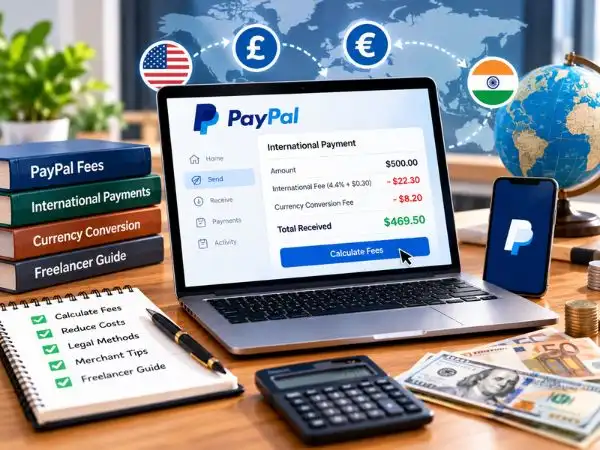
Receiving payment from an overseas client or international customer should be exciting. However, when an international invoice for $1,000 settles into your local account as only $910 to $925, that 7% to 9% bite leaves many businesses, freelancers, and online sellers frustrated.
PayPal is universally trusted and convenient, but cross-border commercial transactions trigger compounding percentage cuts: base commercial rates, cross-border border surcharges, fixed regional fees, and hidden currency conversion markups.
Understanding how PayPal calculates international Goods & Services transactions reveals completely legitimate, terms-of-service-compliant methods to minimize deductions and retain more of your revenue.
1. Anatomy of an International PayPal Fee: Where Does the Money Go?
When an international client pays you via PayPal Goods & Services, the total deduction is rarely a single flat rate. Instead, it is divided into four separate layers:
[Domestic Commercial Fee (2.9% – 3.49%)]
                +
[Cross-Border Surcharge (~1.50%)]
                +
[Fixed Currency Fee ($0.30 – $0.49 / £0.30 / €0.39)]
                +
[Currency Conversion Spread (3.0% – 4.5% above wholesale exchange rate)]
                │
                ▼
Total Effective Cost: ~7.5% to 9.5% per payment
The 4 Fee Components Explained
- Base Transaction Fee: For commercial invoices or online checkout, standard domestic rates range between 2.99% and 3.49%.
- International / Cross-Border Surcharge: When the buyer’s account is registered in a different country from the seller’s account, PayPal adds an extra cross-border fee (typically 1.50% for US accounts and 1.99% to 2.00% for many Asian, European, and South American accounts).
- Fixed Fee: A nominal flat fee based on the currency received (e.g., $0.49 USD, €0.39 EUR, or £0.30 GBP).
- The Hidden Currency Conversion Spread: This is often the largest unseen cost. If a client pays you in US Dollars (USD) and PayPal auto-converts it to your local currency (e.g., EUR, GBP, CAD, or INR), PayPal does not use the mid-market interbank rate shown on Google or Reuters. Instead, they apply a 3.0% to 4.5% markup on the conversion rate.
2. International Fee Calculator Formula & Examples
To calculate your exact net payout for an incoming payment, use this standard international formula:
$$\text{Net Payout} = \left[ \text{Gross Payment} \times \left(1 – (\text{Base Rate} + \text{Cross-Border Fee})\right) \right] – \text{Fixed Fee}$$
If currency conversion applies, multiply the resulting amount by:
$$(\text{Mid-Market Rate} \times (1 – 0.035 \text{ to } 0.045))$$
Real-World Example: $1,000 USD Invoice Comparison
| Payment Tier / Component | Breakdown Amount | Remaining Balance |
| Gross Payment Sent by Client | — | $1,000.00 |
| Base Merchant Fee (~3.49%) | -$34.90 | $965.10 |
| Cross-Border International Fee (1.50%) | -$15.00 | $950.10 |
| Fixed USD Fee | -$0.49 | $949.61 |
| Direct Balance if Kept in USD | — | $949.61 (Total cut: 5.04%) |
| Hidden Currency Conversion Markup (~3.5%) | -$33.24 equivalent | ~$916.37 (Total cut: ~8.36%) |
3. How to Avoid or Reduce PayPal Fees Legally (5 Compliant Methods)
You should never ask clients to pay via “Friends & Family” for business work or commercial products. Doing so violates PayPal’s User Agreement, strips you of Seller Protection, and risks account suspension or permanent funds holds.
Use these 5 fully compliant strategies instead:
Method 1: Bill in the Sender’s Currency and Hold Multi-Currency Balances
If your PayPal account settings allow multiple currencies (standard for most Business accounts):
- Navigate to Wallet > Add a Currency.
- Add major global currencies: USD, EUR, GBP, AUD.
- Set your receiving preferences to “Accept and create a balance in this currency” rather than auto-converting immediately upon receipt.
- Why this helps: You avoid PayPal’s immediate 3.5%–4.0% retail exchange spread at the moment of payment. You can then use those USD or EUR funds directly to pay for overseas business expenses, software subscriptions (AWS, Adobe, domain names), or transfer them in bulk when exchange rates are favorable.
Method 2: Combine PayPal with Multi-Currency Virtual Accounts (Wise / Payoneer)
Instead of letting PayPal withdraw directly to a local non-USD bank account (triggering high conversion spreads), link a licensed multi-currency routing account (such as Wise Business or Payoneer):
- Obtain US ACH bank routing details (e.g., from a Wise multi-currency account).
- Link the US routing number to your PayPal wallet.
- Withdraw USD directly to your USD virtual account.
- Convert from USD to your home currency through your third-party multi-currency provider at the true mid-market interbank rate (which typically charges only 0.4% to 0.7%, saving you 3%+ on large transfers).
Also Read : – Vijay Kedia: Portfolio, Investment Strategy, Net Worth & 2026 Holdings Analysis
Method 3: Incorporate Payment Processing Fees into Your Pricing Structure
The simplest legal approach is building payment processing overhead into your pricing model:
- The “Gross-Up” Formula: If you need to clear an exact amount (e.g., $1,000 net), calculate the gross invoice amount beforehand:$$\text{Invoice Amount} = \frac{\text{Desired Net} + \text{Fixed Fee}}{1 – (\text{Fee Percentage})}$$$$\text{Invoice Amount} = \frac{\$1,000 + 0.49}{1 – 0.0499} \approx \mathbf{\$1,053.04}$$
- Provide an Early-Payment / Direct-Bank Discount: Offer a 3% to 5% discount if clients settle via direct international wire (SWIFT / SEPA / ACH), which gives them an incentive to bypass card gateways entirely.
Method 4: Offer Alternative Low-Fee B2B Rail Options
For invoices exceeding $1,500, percentage-based merchant fees become disproportionately expensive. Offer clients modern, trusted alternatives alongside PayPal:
- Direct ACH / Wire via Wise Business: The sender pays pennies for domestic routing, and the receiver pays minimal conversion fees.
- Stripe Invoicing: Standard international credit card rates (typically 2.9% + 1% international + 30¢), often coming out 1% to 2% cheaper than PayPal’s full cross-border stack.
Method 5: Claim All PayPal Fees as Legitimate Tax Deductions
Every cent PayPal deducts in transaction fees, merchant surcharges, and monthly gateway costs is a 100% deductible business expense:
- At the end of each fiscal month, go to Reports > Activity Download > Statements.
- Download your annual Fee Summary Report.
- Provide this to your tax accountant or include it under Bank and Payment Processing Fees on your profit-and-loss tax schedule. This lowers your total taxable net income, effectively recovering a portion of the fee burden through tax savings.
What NOT to Do: Dangerous Mistakes That Freeze Accounts
  DON'T: Ask commercial clients to use "Friends & Family" (Risks permanent account ban)
  DON'T: Surcharge card fees where prohibited by local consumer protection laws (e.g., UK/EU)
  DON'T: Use unverified third-party "exchange bridge" websites to cash out balances
- The Friends & Family Trap: When an account frequently receives personal payments from unrelated accounts worldwide, PayPal’s automated fraud algorithms flag the account for commercial misuse, requiring proof of personal relationship or freezing the balance for 180 days.
- Illegal Surcharging in Certain Jurisdictions: While adding a “credit card processing surcharge” is legal in some US states, it is strictly illegal under the EU Payment Services Directive (PSD2) and UK consumer credit regulations when dealing with consumers. Always check regional merchant laws before adding fee surcharges to an invoice.
Frequently Asked Questions (FAQ)
What is the exact international fee for PayPal Goods and Services?
For most cross-border transactions, the total fee is typically 3.49% to 4.4% plus a fixed fee ($0.49 USD) for the transaction itself. If the payment requires currency conversion to deposit into your local bank, an additional 3.0% to 4.5% currency conversion spread applies, bringing the total effective cost to around 7% to 9%.
Is it legal to ask a client to cover PayPal fees?
Yes, in standard B2B (business-to-business) contracts, you can negotiate contract terms where the client agrees to cover administrative transfer fees, or you can adjust your gross quoted rate to account for standard payment processing expenses.
Why did PayPal take a currency conversion fee when my invoice was in USD?
If your primary bank account is denominated in a non-USD currency (like GBP, EUR, CAD, or INR), PayPal automatically converts incoming foreign funds into your native local currency during withdrawal, applying their standard retail exchange spread.
Can I write off PayPal fees on my business taxes?
Yes. PayPal processing fees, monthly gateway charges, and international chargeback fees are recognized as necessary business operational expenses and can be deducted against your gross business revenue on your tax returns.

