


If you’ve ever searched for strong, modern protection for your computer or business, you’ve likely heard of SentinelOne. Cyber threats aren’t going away, and picking the right tool can make all the difference. Maybe you’re looking for the facts on SentinelOne pricing, curious about the SentinelOne antivirus, or want to see how it stacks up with CrowdStrike. Maybe you just want a safe and simple way to keep your digital life secure.
No matter what brought you here, this guide gives you real answers—no confusing tech-speak, no sales pitch, just what you need to know. Let’s dive in!
What Is SentinelOne?
SentinelOne is a security platform designed to protect computers, servers, and entire networks from cyber threats like viruses, ransomware, and hackers. It’s best known for being fast, smart, and automatic—catching threats even when they try to hide.
SentinelOne is used by small businesses, big companies, schools, and even government offices. But it’s not just for tech experts—plenty of everyday users like it too, because it works quietly in the background and is easy to manage.
What makes SentinelOne stand out is its use of artificial intelligence (AI) to spot threats before they can do damage. This means it doesn’t just look for “known” viruses, but watches for anything suspicious or out of place.
SentinelOne Antivirus: Is It Just Another Antivirus?
When people talk about SentinelOne antivirus, they usually mean the software’s ability to block viruses, malware, spyware, and other nasty stuff. But it goes way beyond traditional antivirus tools.
How is SentinelOne antivirus different?
- It uses AI to look for new, never-seen-before threats.
- It reacts in real time, stopping viruses before they spread.
- It can automatically “roll back” your system to before the infection, so you don’t lose files.
- It doesn’t slow down your device or bug you with pop-ups.
Many people feel safer with SentinelOne because it quietly protects in the background while you work, shop, or stream. You don’t need to babysit it or run special scans.
What Is SentinelOne EDR?
You might see the term SentinelOne EDR and wonder what it means. EDR stands for Endpoint Detection and Response.
Here’s what matters:
- “Endpoint” means anything that connects to your network—laptops, desktops, even phones.
- “Detection and Response” means the system not only finds threats but can take action to stop and remove them.
SentinelOne EDR tracks the behavior of files, programs, and users across your devices. If it spots something fishy—like a program trying to steal passwords or move files without your okay—it can block, quarantine, or remove the threat automatically.
This EDR feature is a big reason why businesses trust SentinelOne, but home users can benefit too.
SentinelOne Login: How Do You Access It?
If you’re using SentinelOne at work or home, you’ll often use a web-based dashboard to manage your protection. This is called the SentinelOne login.
Here’s how it works:
- You receive a username and password when you sign up or get SentinelOne from your employer or IT provider.
- Go to the official SentinelOne dashboard in your web browser.
- Enter your credentials.
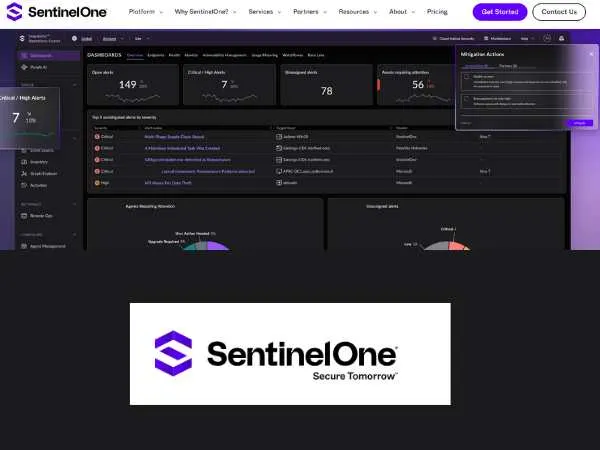
- From the dashboard, you can check alerts, run scans, update settings, or get help.
For most home users, the SentinelOne login is just for setting up or checking in. The antivirus works automatically—so you won’t need to log in every day.
SentinelOne Pricing: What Does It Cost?
Now for the big question: SentinelOne pricing.
SentinelOne isn’t usually sold as a simple “pay and download” antivirus like you’d see in a local electronics store. Instead, pricing depends on the number of devices, the type of protection you want, and whether it’s for a business or personal use.
Key facts:
- Prices often start at around $45 to $60 per device per year for basic plans.
- Business or enterprise plans with full EDR, advanced AI, and extra support cost more—sometimes $70 to $150 per device per year.
- Discounts are common for larger companies or schools.
- Some IT providers include SentinelOne in a service bundle, so the price might be rolled in with other tech support.
What you get:
All plans include real-time protection, regular updates, automatic threat removal, and access to the dashboard. Bigger plans add deeper reporting, threat hunting, and team tools.
Important tip:
It’s always best to get a quote directly from SentinelOne or a trusted reseller, as pricing changes based on your needs.
SentinelOne vs CrowdStrike: Honest Comparison
People often search “SentinelOne vs CrowdStrike” because both are leaders in cybersecurity. Here’s how they stack up, in simple terms:
SentinelOne:
- Focuses on automatic protection, AI-driven detection, and easy rollbacks.
- Works great for businesses, schools, and home users.
- Has strong ransomware protection.
- Offers a clear dashboard for managing devices.
- Good for people who want to “set and forget” their security.
CrowdStrike:
- Known for its Falcon platform—great for large companies with big IT teams.
- Uses cloud-based systems to spot threats across the world.
- Offers detailed threat hunting, but can be complex for small businesses or individuals.
- Often favored by tech experts or big organizations needing in-depth control.
Both tools are trusted, strong, and regularly top the charts in security tests.
So, which one is better?
- If you’re a big business or IT pro who wants endless control, CrowdStrike is a top pick.
- If you want smart, automatic protection with easy setup and rollback, SentinelOne is a solid choice.
It’s like picking between two great cars—both get you there, but each has features that fit different drivers.
also read : – What is the Hub FCA and how to login?
How Does SentinelOne Protect You?
- Blocks viruses, spyware, and ransomware before they do harm.
- Uses AI to learn from new threats and improve every day.
- Offers “one-click rollback” so you can restore files if something goes wrong.
- Runs silently, so your computer isn’t slowed down or overloaded.
- Sends alerts only when there’s a real risk—no constant pop-ups.
Is SentinelOne Easy to Use?
Yes. For most users, you install it and let it run. The dashboard is simple, with easy-to-read alerts. Businesses can use advanced features, but home users won’t be overwhelmed.
Tip: If you’re not tech-savvy, choose a trusted IT provider to help set it up the first time.
SentinelOne and Privacy
SentinelOne is designed to protect your privacy. It only scans for threats—it doesn’t track your files, sell your data, or invade your personal information. Updates happen automatically and securely.
FAQs
Q: Can I use SentinelOne at home?
A: Yes, but you may need to buy through a partner, since it’s usually sold to businesses.
Q: Is SentinelOne antivirus better than regular antivirus?
A: It offers more protection, thanks to AI and rollback features.
Q: What’s the difference between SentinelOne EDR and standard antivirus?
A: EDR adds detection, investigation, and automatic responses to threats—not just blocking them.
Q: How do I log in to SentinelOne?
A: Use your username and password on the official dashboard online.
Q: Does SentinelOne slow down my computer?
A: No, it’s designed to be lightweight and fast.
Q: How much does SentinelOne cost?
A: Pricing starts around $45–$60 per device per year for basics. Business plans are higher.
Q: Which is better, SentinelOne or CrowdStrike?
A: Both are top choices. SentinelOne is easier for most users; CrowdStrike is best for big, tech-heavy organizations.
Safety Tips for Cybersecurity
- Always use strong, unique passwords.
- Keep your software and operating system updated.
- Never click unknown links or open suspicious email attachments.
- Use multi-factor authentication for extra security on accounts.
- Back up your files regularly.
also read : – Wendy’s App Not Working: Learn The Ways To Fix This Frequently Occurring Issue
Final Thoughts
SentinelOne is a powerful, easy-to-use tool for fighting cyber threats. Whether you’re a business owner, a parent, or just want to keep your files safe, SentinelOne offers smart, silent protection. It’s more than just antivirus—it’s a guard for your digital life.
If you’re deciding between SentinelOne and CrowdStrike, think about what fits your needs best. No matter which you pick, staying safe online is easier when you have the right tools—and a little know-how.

